Pro Editor: The Complete Guide to Professional Photo and Video Editing
Creating eye-catching photos and engaging videos has become easier than ever, thanks to modern editing tools. Whether you’re a content creator, social media influencer, business owner, or casual user, a Pro Editor can help transform ordinary content into professional-quality visuals. With advanced editing features, AI-powered enhancements, and user-friendly controls, Pro Editor applications are becoming essential tools for anyone who wants to stand out online.
In this guide, you’ll learn what a Pro Editor is, its key features, benefits, and tips to get the most from your editing experience.
What Is Pro Editor?
A Pro Editor is an advanced editing application designed for enhancing photos, videos, and digital content. Unlike basic editing apps, Pro Editors include professional tools such as advanced filters, color correction, object removal, background editing, AI enhancements, and high-resolution exports.
These editors are suitable for beginners who want simple one-tap improvements as well as professionals who need detailed control over every aspect of their projects.
Key Features of a Pro Editor
Advanced Photo Editing
Professional editing apps provide powerful tools to improve image quality, including:
- Brightness and contrast adjustment
- Color grading
- Exposure correction
- Sharpness enhancement
- Noise reduction
- HDR effects
These features help create polished and visually appealing images suitable for social media, websites, and marketing materials.
AI-Powered Editing Tools
Many modern Pro Editors now use artificial intelligence to simplify editing tasks. AI can automatically:
- Remove unwanted objects
- Enhance portraits
- Improve image quality
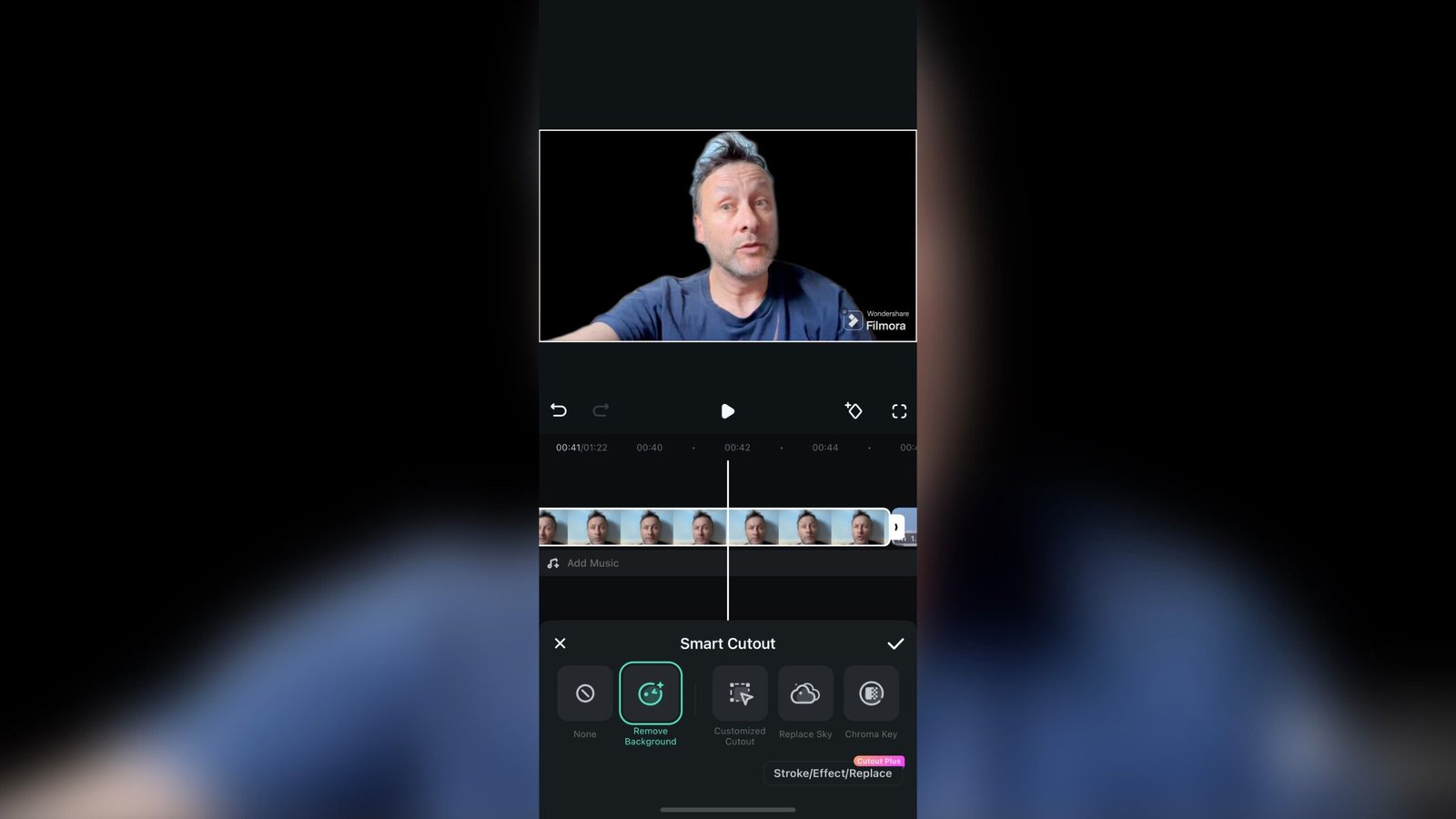
- Replace backgrounds
- Restore old photos
- Apply smart filters
These features save time while delivering impressive results.
Professional Video Editing
Most Pro Editors also include video editing capabilities such as:
- Timeline editing
- Video trimming
- Transitions
- Text animations
- Music integration
- Speed control
- Motion effects
- 4K video export
These tools help creators produce high-quality videos for YouTube, TikTok, Instagram, and other platforms.
Why Choose a Pro Editor?
There are many reasons why creators prefer professional editing software over basic editors.
Better Quality
Professional editing tools produce sharper images, smoother videos, and more natural color correction.
Time Saving
AI-powered automation allows users to complete complex edits in just a few clicks.
Creative Freedom
Advanced editing options let users customize every detail, from lighting adjustments to cinematic color grading.
Suitable for Multiple Purposes
A Pro Editor is useful for:
- Social media content
- Business marketing
- Product photography
- YouTube videos
- Travel photography
- Personal memories
- School and office presentations
Best Uses for Pro Editor
Social Media Content
High-quality visuals attract more engagement on platforms like Instagram, Facebook, Pinterest, and TikTok. Professional editing helps your content stand out in crowded feeds.
Business Marketing
Businesses use edited images and videos for advertisements, websites, online stores, and promotional campaigns. Professional visuals build trust and improve brand recognition.
Content Creation
YouTubers, bloggers, and influencers rely on Pro Editors to create polished videos, eye-catching thumbnails, and attractive social media posts.
Tips for Getting Professional Results
Use Natural Adjustments
Avoid over-editing your photos. Small improvements often create a cleaner and more realistic appearance.
Keep Colors Consistent
Using similar color tones across your content helps establish a recognizable visual style.
Export in High Resolution
Always save your finished work in the highest quality available to maintain sharpness across different devices and platforms.
Learn Keyboard Shortcuts
If you’re using a desktop Pro Editor, shortcuts can significantly speed up your editing workflow.
Experiment with Presets
Many editors include ready-made presets that instantly improve photos while allowing further customization.
Common Features Found in Modern Pro Editors
Most professional editing applications include:
- AI image enhancement
- Background remover
- Portrait retouching
- Skin smoothing
- Object eraser
- Layer editing
- Advanced filters
- Video effects
- Audio editing
- Cloud storage
- RAW photo support
- Batch editing
- High-resolution export
These features make editing faster and more efficient for users at every skill level.
How to Choose the Right Pro Editor
When selecting a Pro Editor, consider the following factors:
Ease of Use
Choose software with a clean interface and intuitive controls, especially if you’re new to editing.
Feature Set
Make sure the editor supports the tools you need, such as video editing, AI enhancements, or advanced photo retouching.
Device Compatibility
Check whether the application works on Android, iPhone, Windows, or Mac.
Export Quality
High-quality export options ensure your photos and videos remain clear after editing.
Regular Updates
Editors that receive frequent updates often include new features, improved performance, and better security.
Benefits of Using a Pro Editor
Using a professional editor offers several long-term advantages:
- Produces professional-quality content
- Saves editing time with AI tools
- Improves social media engagement
- Supports business marketing
- Enhances creativity
- Delivers high-resolution output
- Suitable for beginners and professionals alike
These benefits make Pro Editors valuable tools for anyone serious about digital content creation.
Conclusion
A Pro Editor is more than just an editing application—it’s a complete creative solution for producing stunning photos and videos. Whether you’re editing family memories, building a social media brand, promoting a business, or creating professional content, the right Pro Editor provides the tools needed to achieve impressive results with ease.
Download
Download
As editing technology continues to evolve, AI-powered features and advanced creative tools are making professional-quality editing accessible to everyone. Choosing a reliable Pro Editor and learning its features can significantly improve your workflow and help your content leave a lasting impression.