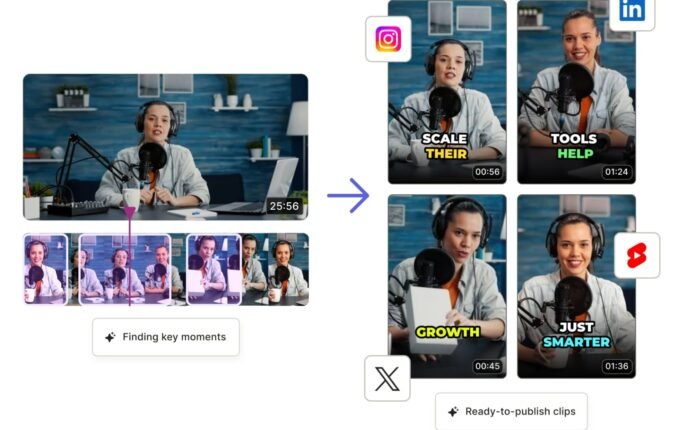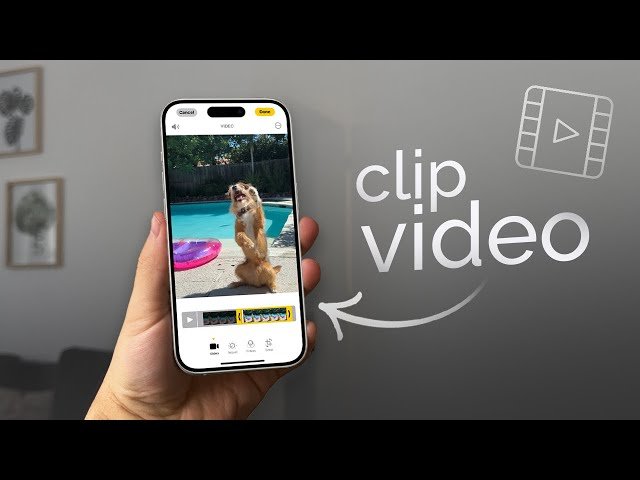
In today’s digital world, short form video content dominates social media platforms. Whether you’re a content creator, business owner, marketer, or influencer, creating eye catching video clips has become essential for reaching a wider audience. This is where Clips Maker comes into play.
A Clips Maker helps users transform long videos, images, and recordings into engaging short clips that are perfect for platforms like TikTok, Instagram Reels, YouTube Shorts, and Facebook. With the growing demand for video content, learning how to use a Clips Maker effectively can significantly boost your online presence and engagement.
What Is a Clips Maker?
A Clips Maker is a video editing tool or application designed to create, edit, and customize short video clips quickly and efficiently. These tools often include features such as trimming, cutting, transitions, effects, captions, music integration, and AI-powered editing.
Whether you’re producing educational content, promotional videos, gaming highlights, or social media reels, a Clips Maker simplifies the editing process and helps deliver professional quality results.
Why Is a Clips Maker Important?
Video content consistently generates higher engagement compared to text and images. A reliable Clips Maker offers several advantages:
- Saves editing time
- Improves content quality
- Increases audience engagement
- Enhances brand visibility
- Helps create viral short form videos
- Supports multiple social media platforms
Businesses and creators use Clips Makers to maximize content reach without spending hours on complex editing software.
Key Features of a Modern Clips Maker
Easy Video Trimming and Cutting
One of the primary functions of a Clips Maker is removing unnecessary sections and highlighting the most important moments.
For example, a 30 minute webinar can be converted into multiple 30-second clips suitable for social media promotion.
AI Powered Auto Clipping
Many modern Clips Makers use artificial intelligence to identify highlights automatically. This feature is especially useful for:
- Podcasts
- Interviews
- Gaming videos
- Educational content
- Live streams
AI saves time by detecting key moments and generating ready to share clips.
Text and Caption Generation
Captions improve accessibility and increase viewer retention. Many users watch videos without sound, making subtitles essential.
Benefits include:
- Better user experience
- Improved engagement
- Higher watch time
- Increased accessibility
Music and Sound Effects
Background music can make content more entertaining and professional. Most Clips Makers provide royalty free audio libraries for easy integration.
Social Media Optimization
A quality Clips Maker allows users to export videos in different aspect ratios, including:
- Vertical (9:16) for TikTok and Reels
- Square (1:1) for Instagram posts
- Landscape (16:9) for YouTube
This ensures content looks perfect on every platform.
Benefits of Using a Clips Maker
Faster Content Creation
Creating short videos manually can be time consuming. Clips Makers automate many tasks, allowing creators to publish content consistently.
Increased Audience Engagement
Short, engaging videos tend to receive:
- More likes
- More comments
- More shares
- Higher watch rates
This can significantly improve social media performance.
Better Marketing Results
Businesses use Clips Makers to create:
- Product demonstrations
- Promotional campaigns
- Customer testimonials
- Brand awareness videos
These clips often generate better conversion rates than static advertisements.
Cost Effective Video Production
Instead of hiring professional editors, individuals and small businesses can use a Clips Maker to produce high quality content at a fraction of the cost.
How to Create Professional Clips
1. Start with Quality Footage
Good videos begin with clear visuals and audio. Use a decent camera or smartphone and ensure proper lighting.
2. Focus on the Best Moments
Viewers have short attention spans. Highlight exciting, informative, or entertaining sections first.
3. Add Captions
Subtitles make videos easier to consume and improve accessibility.
4. Use Smooth Transitions
Professional transitions help maintain viewer interest without making videos feel overwhelming.
5. Keep It Short
Most successful social media clips range from 15 to 60 seconds. Deliver value quickly to keep viewers engaged.
Best Uses for a Clips Maker
A Clips Maker is suitable for various purposes, including:
- Social media content creation
- Business marketing
- Educational tutorials
- Gaming highlights
- Podcast snippets
- Event promotions
- Product reviews
- Personal video projects
Its versatility makes it an essential tool for modern digital communication.
Common Mistakes to Avoid
When using a Clips Maker, avoid these mistakes:
- Making videos too long
- Using excessive effects
- Ignoring captions
- Uploading low quality footage
- Forgetting platform specific dimensions
- Neglecting audience preferences
Focusing on simplicity and clarity often produces the best results.
Conclusion
A Clips Maker has become an essential tool for anyone looking to succeed in today’s video driven digital landscape. From content creators and influencers to marketers and business owners, these tools simplify video editing while helping produce professional, engaging, and shareable content.