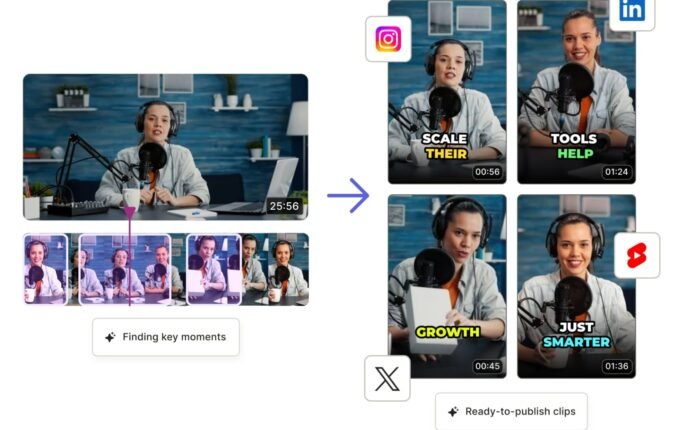
In today’s fast paced digital world, video content is king and having the right editing tool can make all the difference. Whether you’re creating TikTok clips, YouTube videos, or Instagram reels, CapCut has quickly become a go to solution for millions of creators worldwide. But what makes it so popular, and is it really worth using in 2026?
Let’s dive in and explore everything you need to know about CapCut.
What is CapCut?
CapCut is a free, all in one video editing application developed by ByteDance, the same company behind TikTok. It’s designed for both beginners and advanced users who want to create high quality videos without complex software.
Available on Android, iOS, and desktop, CapCut offers a simple interface combined with powerful editing tools making it one of the best free video editors available today.
Key Features of CapCut
1. Easy-to-Use Interface
CapCut’s clean and intuitive design allows users to start editing right away. Even if you’ve never edited a video before, you can quickly learn the basics.
2. Advanced Editing Tools
Despite being beginner-friendly, CapCut offers professional features such as:
- Multi layer editing
- Keyframe animation
- Speed control (slow motion & fast motion)
- Chroma key (green screen)
3. Built-in Effects & Filters
CapCut comes with hundreds of filters, transitions, and effects that help enhance your videos instantly. This is especially useful for social media creators.
4. Text, Stickers & Subtitles
You can easily add animated text, trending stickers, and even auto generated subtitles to make your content more engaging.
5. Music & Sound Effects Library
CapCut provides a large collection of royalty free music and sound effects, allowing you to add the perfect background audio.
Why CapCut is So Popular in 2026
CapCut’s rise in popularity is closely linked to platforms like TikTok and Instagram Reels. Here’s why creators love it:
- Completely Free: Most features are available without payment.
- No Watermark (Optional): Export clean videos.
- Mobile & Desktop Support: Edit anywhere, anytime.
- AI Features: Auto captions, background removal, and smart editing tools.
How to Use CapCut (Step by Step)
Step 1: Download and Install
Get CapCut from the Google Play Store, App Store, or official website.
Step 2: Start a New Project
Open the app and tap on New Project to import your video clips.
Step 3: Edit Your Video
Use tools like trimming, splitting, and transitions to shape your content.
Step 4: Add Effects & Music
Enhance your video with filters, sound effects, and background music.
Step 5: Export in High Quality
Export your final video in HD or 4K resolution for the best results.
Pro Tips to Get the Most Out of CapCut
Use Trending Templates
CapCut offers ready made templates that can help your videos go viral especially on TikTok.
Keep Videos Short & Engaging
Short form content performs better, so aim for 15–60 seconds.
Add Subtitles
Subtitles increase engagement, especially for viewers watching without sound.
Experiment with Effects
Don’t be afraid to try new transitions and filters to make your content stand out.
CapCut vs Other Video Editing Apps
| Feature | CapCut | Adobe Premiere Rush | InShot |
|---|---|---|---|
| Price | Free | Paid | Freemium |
| Ease of Use | Very Easy | Moderate | Easy |
| Advanced Features | Yes | Yes | Limited |
| Watermark | No | No | Yes (Free Version) |
CapCut stands out because it combines powerful features with zero cost, making it ideal for beginners and budget conscious creators.
Is CapCut Safe to Use?
CapCut is generally safe and widely used around the world. However, like any app, users should:
- Download only from official sources
- Review app permissions
- Avoid sharing sensitive data
Final Verdict: Should You Use CapCut?
If you’re looking for a free, powerful, and easy to use video editing app, CapCut is hard to beat. It offers everything from basic editing tools to advanced features without overwhelming beginners.
Download
Whether you’re a content creator, student, or small business owner, CapCut provides all the tools you need to create professional-looking videos in minutes.