
Introduction
In today’s digital world, smartphones store everything from personal photos and private messages to banking information and work documents. While built in phone security features have improved significantly, many users still want an extra layer of protection. That’s where lock apps come in.
Lock apps help secure individual applications with passwords, PINs, fingerprints, or facial recognition, ensuring that only authorized users can access sensitive information. Whether you’re protecting social media accounts, banking apps, or personal files, lock apps provide an effective solution for enhancing privacy and security.
In this guide, we’ll explore what lock apps are, how they work, their benefits, and how to choose the best one for your needs.
What Are Lock Apps?
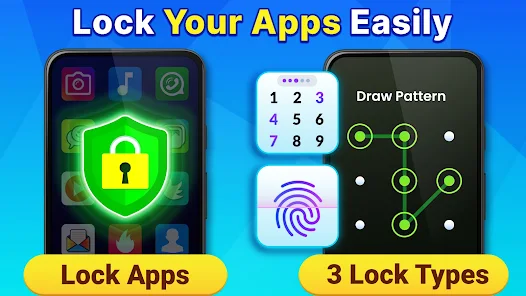
Lock apps are security applications designed to restrict access to specific apps on your smartphone or tablet. Instead of locking the entire device, these tools allow users to protect individual applications.
For example, you can lock:
- Messaging apps
- Banking applications
- Social media accounts
- Photo galleries
- Email apps
- Cloud storage services
When someone tries to open a protected app, they must enter a password, PIN, pattern, fingerprint, or face ID verification.
Why Are Lock Apps Important?
Enhanced Privacy
Many people share their phones with family members, friends, or coworkers. Lock apps prevent unauthorized access to private content.
Better Security
If your phone is lost or stolen, lock apps create an additional barrier between hackers and your sensitive information.
Child Protection
Parents can use lock apps to restrict children’s access to certain applications, such as online shopping, social media, or gaming platforms.
Protection for Financial Apps
Banking and payment apps often contain sensitive financial data. App locks help secure these applications from unauthorized users.
Key Features to Look for in Lock Apps
Not all lock apps offer the same functionality. When choosing one, look for the following features:
Biometric Authentication
Modern lock apps support:
- Fingerprint unlocking
- Face recognition
- Iris scanning (on supported devices)
These methods provide both convenience and strong security.
PIN and Password Protection
A secure PIN or password remains one of the most reliable security methods available.
Intruder Selfie
Some advanced lock apps secretly capture a photo when someone enters the wrong password multiple times.
Fake Lock Screen
Certain apps display a fake error message or crash notification to disguise the fact that the application is protected.
Custom Lock Timing
Users can set specific times when apps automatically lock or unlock.
Popular Types of Lock Apps
App Lock Applications
These apps focus exclusively on locking selected applications.
Examples include:
- AppLock
- Norton App Lock
- Smart AppLock
File Lock Apps
These applications secure files, photos, videos, and documents rather than entire apps.
Privacy Vault Apps
Privacy vaults combine app locking with secure storage for sensitive content.
How Lock Apps Work
Lock apps typically use accessibility services or device administrator permissions to monitor app launches.
The process is simple:
- Install the lock app.
- Choose which applications to protect.
- Set a password, PIN, or biometric authentication.
- Whenever a protected app is opened, the lock screen appears.
This extra verification step significantly improves security.
Benefits of Using Lock Apps
Prevent Unauthorized Access
Lock apps stop curious friends, coworkers, or family members from accessing private information.
Improve Data Security
Sensitive documents, personal messages, and financial data remain protected even if someone gains access to your phone.
Reduce Privacy Risks
Social media accounts often contain personal conversations and information. Locking them helps prevent privacy breaches.
Additional Layer of Defense
Even if someone bypasses your phone’s lock screen, protected apps remain secure.
Tips for Using Lock Apps Safely
Choose Strong Passwords
Avoid common passwords such as:
- 123456
- Password
- 0000
Use a unique combination of letters, numbers, and symbols.
Enable Biometrics
Fingerprint and facial recognition improve both convenience and security.
Keep Apps Updated
Regular updates fix security vulnerabilities and improve performance.
Download from Trusted Sources
Only install lock apps from official app stores to avoid malware or fake applications.
Are Lock Apps Worth It?
For users who value privacy and security, lock apps are definitely worth considering. They provide an extra layer of protection beyond the device’s built-in lock screen and help secure sensitive apps and personal information.
While no security solution is perfect, combining a strong device password with a reliable lock app greatly reduces the risk of unauthorized access.
Conclusion
Lock apps have become essential tools for smartphone users who want better privacy and security. Whether you’re protecting banking apps, social media accounts, private photos, or business data, these applications offer an effective way to keep sensitive information safe.
Download
Download
Download
As cyber threats continue to evolve in 2026, using a trusted lock app alongside your phone’s built-in security features can provide valuable peace of mind. Choose a reputable app, enable biometric protection, and follow best security practices to maximize your digital privacy.